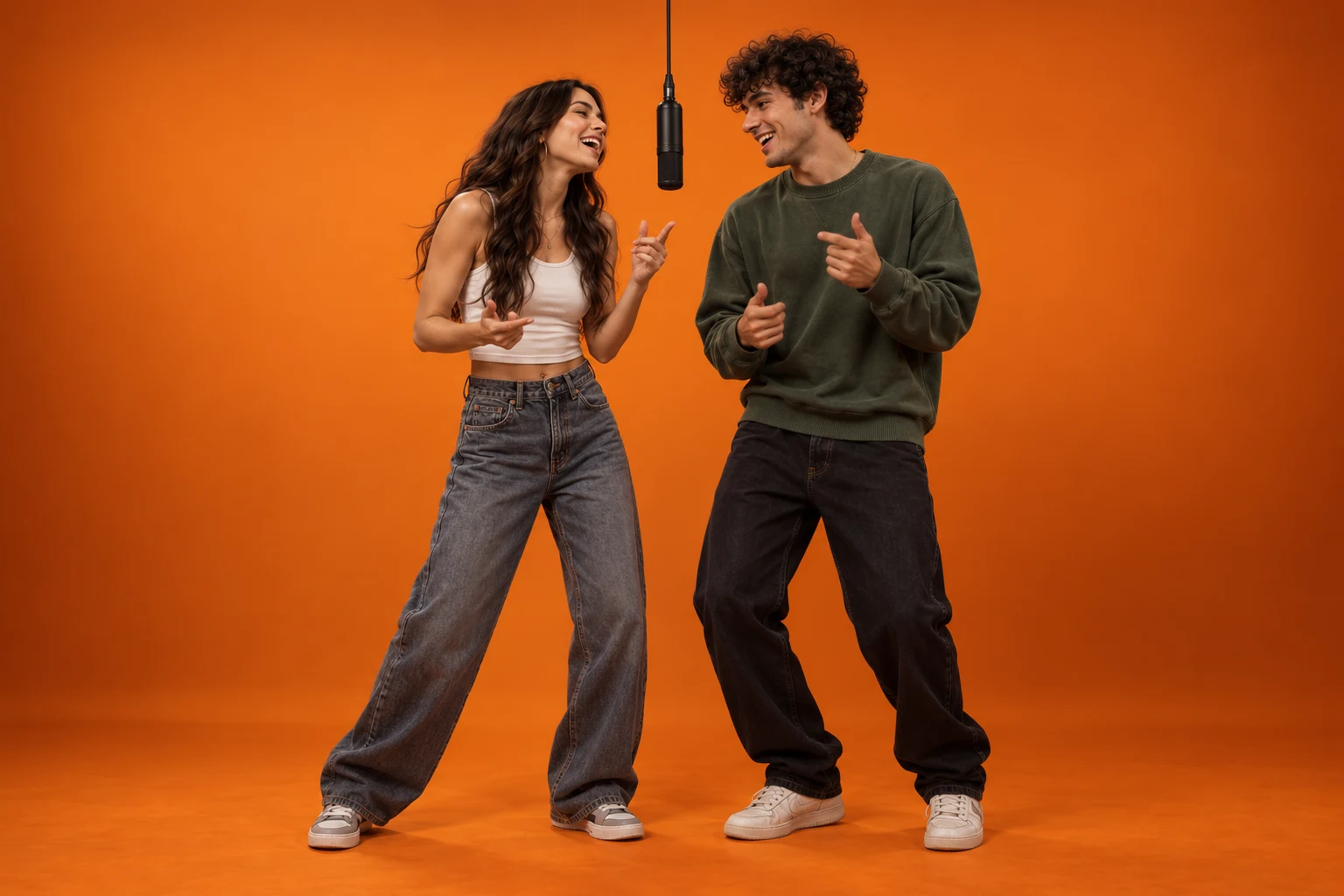
Two cheerful young adult friends standing close together, laughing and gesturing around a central hanging black microphone on an orange stage.

Your photos. The orange booth.

Hotel Lobby AI free: start with a short orange booth clip

Use eligible starter MiniMax H3 credits to make an orange-booth draft from 1–2 photos. Begin with the 4-second, 768p preset and review your balance and the quote before generating. Prompt editing and template selection are free to use.

Start with a 4-second, 768p MiniMax H3 draft. Check your starter balance and credit quote before generating.

Create with Hotel Lobby AI Free

Pick a preset, upload your photos and adjust the prompt.

How it works

Two friends singing and rapping at one suspended microphone from the opening moment. Start with two separate clear portraits. First photo = left person; second photo = right person. Keep each face clear and separate. The 4-second starter uses MiniMax H3. Review the generated audio and add your chosen platform sound after downloading.

Left person · @Image1
Right person · @Image2

JPG, PNG or WebP · 10 MB each. One clear face per photo.

1205/2000
MiniMax H3 · 4s · 768P · 9:16Calculating credit quote…
Aspect ratio
Excluded from public examples and promotion

Hotel Lobby AI Free video examples

See a real two-portrait result generated with Hotel Lobby AI, followed by three original scene-animation examples from our VidLoop template library. The first clip uses separate identity references; the other clips start from one complete scene image. Sound is muted by default.

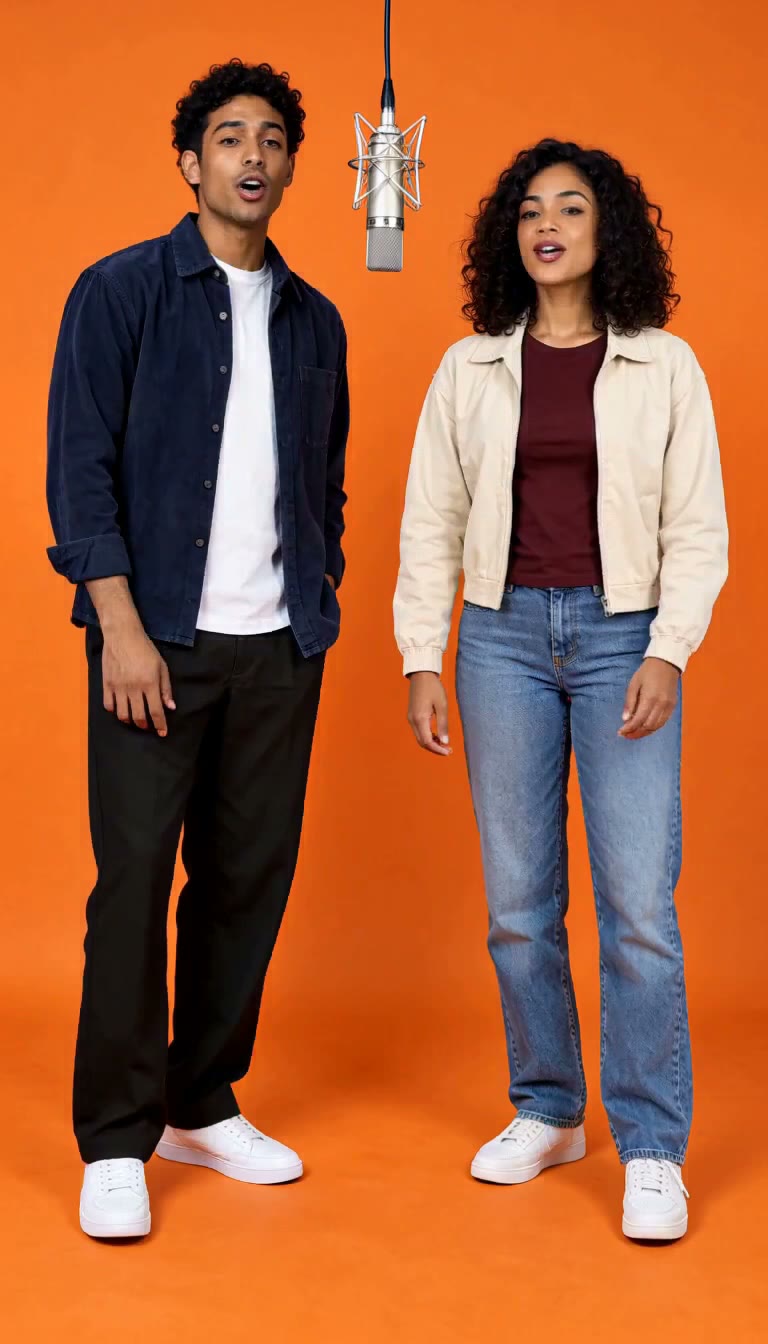
Actual AI output · 4.5s

Two portraits, one orange booth

Generated here from two separate original portrait references. Each performer keeps their own outfit and position, with natural mouth movements and small gestures. This is one reviewed result; outputs vary.

MiniMax H3 · 768 × 1344

View generation prompt

Vertical 9:16 portrait music-performance video, 4 seconds, one continuous static medium-wide shot. Use the uploaded photos only as identity and outfit references, never as a starting frame or a displayed photo. From the very first frame the performers are already in a flat saturated orange studio with matching orange floor, soft even lighting and one silver microphone hanging centrally between the performers, completely outside both face silhouettes, actively singing and rapping to the beat. Begin the performance immediately and maintain natural mouth movements throughout. The person in @Image1 stands on the left, the person in @Image2 on the right. Preserve each face, hairstyle and outfit separately. In the first half the left performer sings and raps with continuous natural mouth movements and a small hand gesture while the right nods to the beat. In the second half they exchange the singing lead without crossing or merging. No still-photo intro, original photo background, photo collage, fade-in, transformation, transition, furniture, hotel interior, logos, captions, cuts, camera orbit, extra people or distorted hands. Silent visual singing performance; audio will be added separately.
Actual AI output · 4.5s

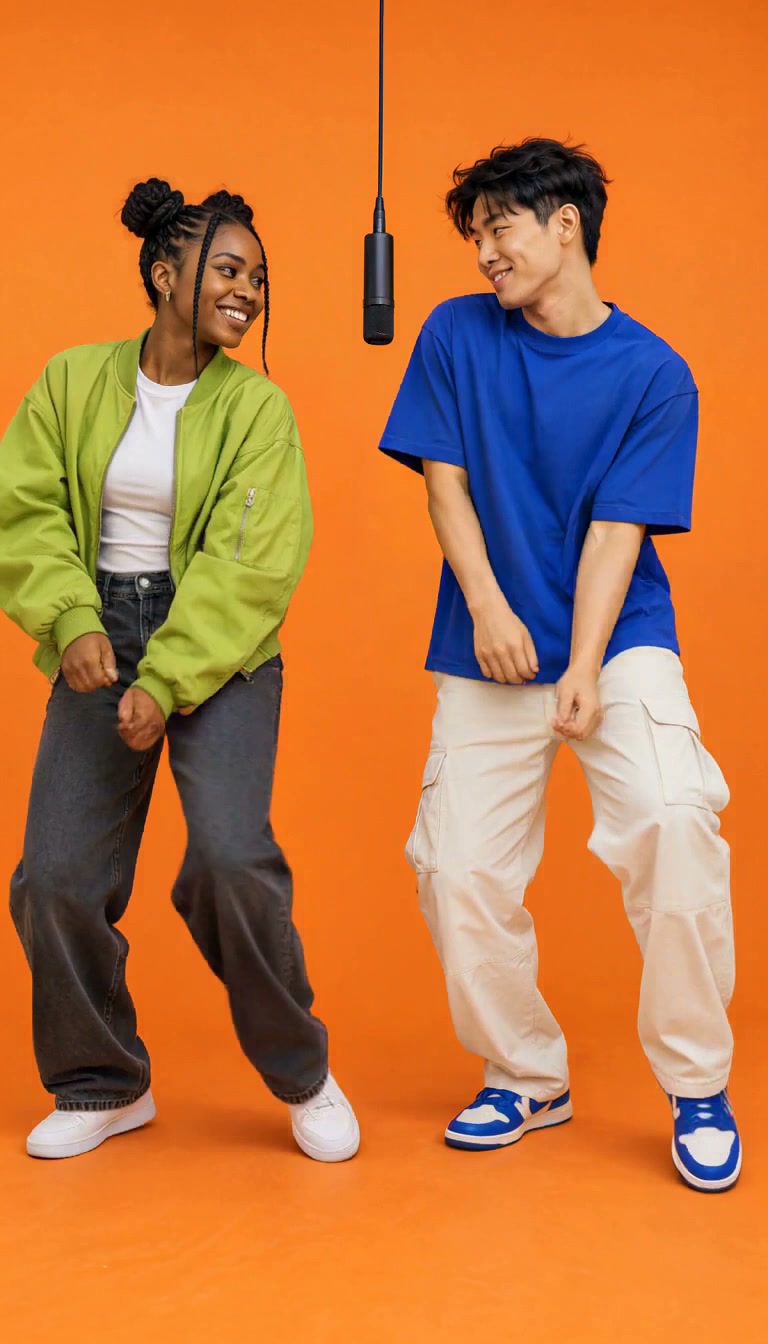
Friends dance

Two young adult friends in green and blue share light knee bounces, smiles and low hand gestures. Generated from one complete original scene image.

MiniMax H3 · 768 × 1344

View generation prompt

Vertical portrait performance video, 4 seconds, one continuous static full-body shot. Use the uploaded complete scene as the starting frame. Preserve both original characters, their positions close together, the saturated orange studio wall and floor, soft even lighting, and exactly one matte black microphone suspended centrally from its thin black cable. Keep the microphone clearly visible between the faces without covering either face. The two adult friends make two gentle synchronized side-to-side knee bounces, smile at each other, then exchange one low open-palm gesture. Preserve their individual faces, hairstyles and distinct outfits. Keep both bodies separate and their feet close to the floor. Hands stay below shoulder height and clear of faces. No camera movement, cuts, new characters, furniture, text, logos or watermarks. Request a silent visual dance; audio will be reviewed separately.

Actual AI output · 4.5s

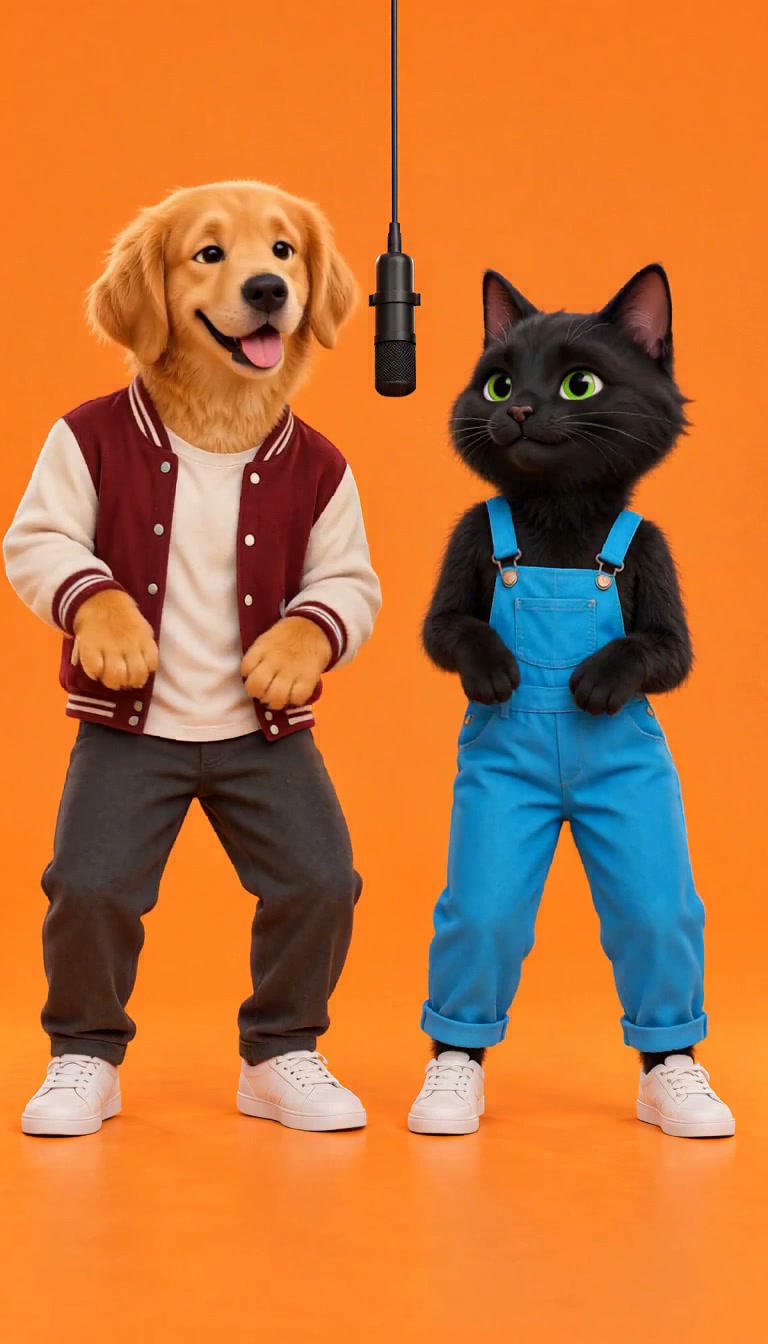
Golden retriever & black cat

An original golden retriever and black cat sway together, then the cat raises a paw. Generated from one complete original illustrated scene image.

MiniMax H3 · 768 × 1344

View generation prompt

Vertical portrait performance video, 4 seconds, one continuous static full-body shot. Use the uploaded complete scene as the starting frame. Preserve both original characters, their positions close together, the saturated orange studio wall and floor, soft even lighting, and exactly one matte black microphone suspended centrally from its thin black cable. Keep the microphone clearly visible between the faces without covering either face. The upright golden retriever rocks its shoulders twice with a cheerful expression; the upright black cat responds with one small paw wave and a playful head tilt. Both sway gently together while keeping their feet near the floor. Preserve their animal faces, fur colors, clothing, two front paws and two back feet. No human hands, additional paws, muzzle distortion or body merging. No camera movement, cuts, new characters, furniture, text, logos or watermarks. Request a silent visual dance; audio will be reviewed separately.

Actual AI output · 4.5s

Robot & plush alien

An original robot and pink plush alien share a small dance and friendly waves. Generated from one complete original character scene image.

MiniMax H3 · 768 × 1344

View generation prompt

Vertical portrait performance video, 4 seconds, one continuous static full-body shot. Use the uploaded complete scene as the starting frame. Preserve both original characters, their positions close together, the saturated orange studio wall and floor, soft even lighting, and exactly one matte black microphone suspended centrally from its thin black cable. Keep the microphone clearly visible between the faces without covering either face. The friendly rounded robot makes a small rhythmic shoulder rock and one low mechanical hand gesture. Its plush alien partner sways side to side and responds with a short soft paw wave; they glance toward each other, then face the camera. Preserve the robot panels, display face, alien fur, eyes, limbs and separate silhouettes. No transformation, extra limbs or character merging. No camera movement, cuts, new characters, furniture, text, logos or watermarks. Request a silent visual dance; audio will be reviewed separately.

Explore Hotel Lobby AI Free

Two portraits, one orange booth: original generated orange booth scene

What the free starter includes

Eligible new visitors receive a limited starter credit balance for MiniMax H3. The workbench displays the quote for the selected duration before you submit. A failed generation releases its reserved credits through the existing workflow. Available rewards, abuse checks and daily capacity limits can affect access, so check the live balance rather than assuming a fixed number of free videos.

  • MiniMax H3, 4 seconds, 768p, default audio settings.
  • One or two reference portraits and vertical 9:16 framing.
  • A private MP4 download when the generation succeeds.
Try this setup
Friends dance: original generated orange booth scene

What can require credits?

Each generation uses the credit quote shown in the workbench. Longer durations can cost more, and starter MiniMax H3 credits cannot pay for a different model. When your balance is insufficient, review available account rewards or paid credit options before starting another task. Selecting a template or editing its prompt does not itself create a charge.

Try this setup
Golden retriever & black cat: original generated orange booth scene

Spend your first attempt on a simple shot

Use two clear portraits, keep the microphone central and choose small shoulder and hand movements. Complex running, fast cuts and elaborate choreography are more likely to introduce identity drift. Keep the free clip as a visual draft, then add your chosen sound in the social app.

Try this setup

Hotel Lobby AI maker free: the photo-to-video steps

If you are looking for a Hotel Lobby AI maker free to try, use the workbench on this page. Choose Solo spotlight for one photo or Orange booth duo for two. Upload a sharp portrait for each performer, check the left/right instructions, then keep MiniMax H3, 768p and a 4-second duration for a short first draft. Read the quote on the generation button. Submit once and wait for the task status before deciding whether to retry.

  • One person: select Solo spotlight, then upload one clear portrait.
  • Two people: select Orange booth duo and upload Image 1 for the left performer and Image 2 for the right.
  • Before submission: confirm duration, resolution, available credits and the displayed cost.
  • After completion: preview the full MP4, check faces and hands, then download and add the social-platform sound.

What to do when your free draft does not start

If a photo is rejected, use JPG, PNG or WebP within the displayed 10 MB limit and check that it opens correctly. If credits are insufficient, sign in to review the available balance and eligible rewards. A security check or full daily capacity can also prevent a task from starting. Follow the specific message shown by the workbench. When provider acceptance is still being checked, wait for the existing task rather than creating a duplicate request.

Review the MP4 before adding music

Check the face at the start, middle and end of the clip, especially during a head turn. For a duo, make sure both people keep their own faces and do not cross or merge. Look for unstable fingers, an extra microphone, flickering walls or clothing changes. The prompt asks for a silent visual performance, but generated audio may still be present. Review it before adding a sound licensed for your social account. A successful clip that you choose to regenerate consumes another quoted amount.

Choose a setup for your photos

Suggested inputs and review checks for your next attempt.

One clear portrait

Solo spotlight, MiniMax H3, 4 seconds, 768p

Check: Compare the quoted credits with the available starter balance

Two separate portraits

Orange booth duo with Image 1 left and Image 2 right

Check: Watch both faces and hands before downloading the MP4

A request for a longer take after a successful draft

Review the new duration and its credit quote

Check: A completed revision uses credits; free access is limited

How to use Hotel Lobby AI Free

  1. 1

    Choose a photo and preset

    Use one clear portrait for Solo or two separate portraits for Duo. Select a template to fill the prompt and keep each reference in its own upload slot.

  2. 2

    Generate your orange booth scene

    Start at 4 seconds and 768p with MiniMax H3. Check the credit quote, then generate. The workbench shows progress and keeps the result available for review.

  3. 3

    Review, download and add sound

    Play the MP4 and check faces, hands and timing. Download the result, then add a licensed platform sound in your preferred social editor.

Choose your Hotel Lobby AI Free creation plan

Choose a subscription for regular creation, or a one-time credit pack below. Start with a free preview. Choose a MiniMax H3 allowance that fits how often you create.

Lite

$9.99 / month
For occasional clips and creative experiments
Credits apply to MiniMax H3 videos on this site.

Monthly video allowance

300 MiniMax H3 credits

Purchases will open when payment setup is complete. No payment is taken now.


Included

  • 300 H3 credits each month
  • 60 five-second 768p videos per allowance
  • 1 credit/sec at 768p · 2 credits/sec at 2K
  • Reserved credits returned on confirmed failure
  • Each allowance valid for 62 days
  • Cancel before the next renewal

Pro

$19.99 / month
For regular creators and social content
Credits apply to MiniMax H3 videos on this site.

Monthly video allowance

700 MiniMax H3 credits

Purchases will open when payment setup is complete. No payment is taken now.


Included

  • 700 H3 credits each month
  • 140 five-second 768p videos per allowance
  • 1 credit/sec at 768p · 2 credits/sec at 2K
  • Reserved credits returned on confirmed failure
  • Each allowance valid for 93 days
  • Cancel before the next renewal

Ultra

$39.99 / month
For frequent projects and more variations
Credits apply to MiniMax H3 videos on this site.

Monthly video allowance

1500 MiniMax H3 credits

Purchases will open when payment setup is complete. No payment is taken now.


Included

  • 1,500 H3 credits each month
  • 300 five-second 768p videos per allowance
  • 1 credit/sec at 768p · 2 credits/sec at 2K
  • Reserved credits returned on confirmed failure
  • Each allowance valid for 124 days
  • Cancel before the next renewal

Buy credits without a subscription

One-time MiniMax H3 credits, valid for 365 days with no auto-renewal.

100 H3 credits

US$3.99

One-time payment

20 MiniMax H3 videos · 768P · 5 seconds

At 5 credits each. Other settings use the quote shown before generation.

300 H3 credits

US$8.99

One-time payment

60 MiniMax H3 videos · 768P · 5 seconds

At 5 credits each. Other settings use the quote shown before generation.

700 H3 credits

US$18.99

One-time payment

140 MiniMax H3 videos · 768P · 5 seconds

At 5 credits each. Other settings use the quote shown before generation.

Billed in USD; credits arrive after payment confirmation. Expiring H3 credits are used first. Failed tasks return eligible credits to their original balance.

Purchases are temporarily unavailable. Please retry later.

Hotel Lobby AI Free creator reviews

Made something with Hotel Lobby AI? Tell other creators how it went and what you would change.

Share your Hotel Lobby AI Free result

Be the first to share your experience. There are no published creator reviews for this page yet.

We review feedback before publishing and use only the public name you choose. For help with a task or billing, contact support.

Your rating (optional)

Opens your email app so you can review and send.

Hotel Lobby AI Free
FAQs

Photos, credits, audio and your finished clip.

Is this a Hotel Lobby AI maker free to use?

You can choose presets and edit the prompt without payment. Video generation uses eligible starter MiniMax H3 credits or the available account balance. Check the quote before submitting. Free access is limited, and a different model or further generations can require paid credits.

Can I make a Hotel Lobby duo for free?

The starter reference-image setup supports two photos with MiniMax H3: 4 seconds, 768p and default audio settings. Generation is available when your eligible starter balance covers the displayed quote, subject to capacity and security checks. Exact original choreography and synchronized lyrics are not included.

Do I need a card for the guest preview?

An eligible starter generation uses the available MiniMax H3 credit balance without a card payment. The workbench shows the cost and any account requirement before submission. Creating a prompt or choosing a template does not initiate a payment.

What photos work best?

Use a sharp, well-lit photo of each person, with one person per image and the face unobstructed. Similar camera angles and lighting help a duo. A wider portrait with shoulders and hands visible gives the model more information than a tightly cropped selfie. JPG, PNG and WebP up to 10 MB per image are supported.

Will it copy the original performance exactly?

These presets generate a new orange-studio performance from your photos. Faces, gestures and timing can vary. They do not transfer the original choreography, reproduce an exact frame-for-frame performance or guarantee synchronized lips.

Does the video include the Hotel Lobby song?

The prompt requests a silent performance; generated audio may still be present. After downloading your clip, choose the licensed sound available to your account inside TikTok, Instagram or YouTube. Music availability and permitted uses depend on the platform, region and account.

What video do I receive?

A short generated MP4 in vertical framing, requested at 9:16. Actual dimensions may vary by model; our H3 examples are 768 × 1344. The starter setup uses 4 seconds and 768p. Review both faces and hands before posting; higher resolutions and longer durations may require sign-in and credits. Rendering time depends on the provider queue and is not guaranteed.

Create your Hotel Lobby AI Free video

Bring a clear portrait, choose your orange booth direction and make a short first draft. Your finished clip is ready to review and download in the workbench.

Make your video

Use photos you have permission to animate. Review faces and hands before sharing. Hotel Lobby AI is independent of COLORS, the artists and the social platforms.

Photo privacy · Get help · Updated October 5, 2026