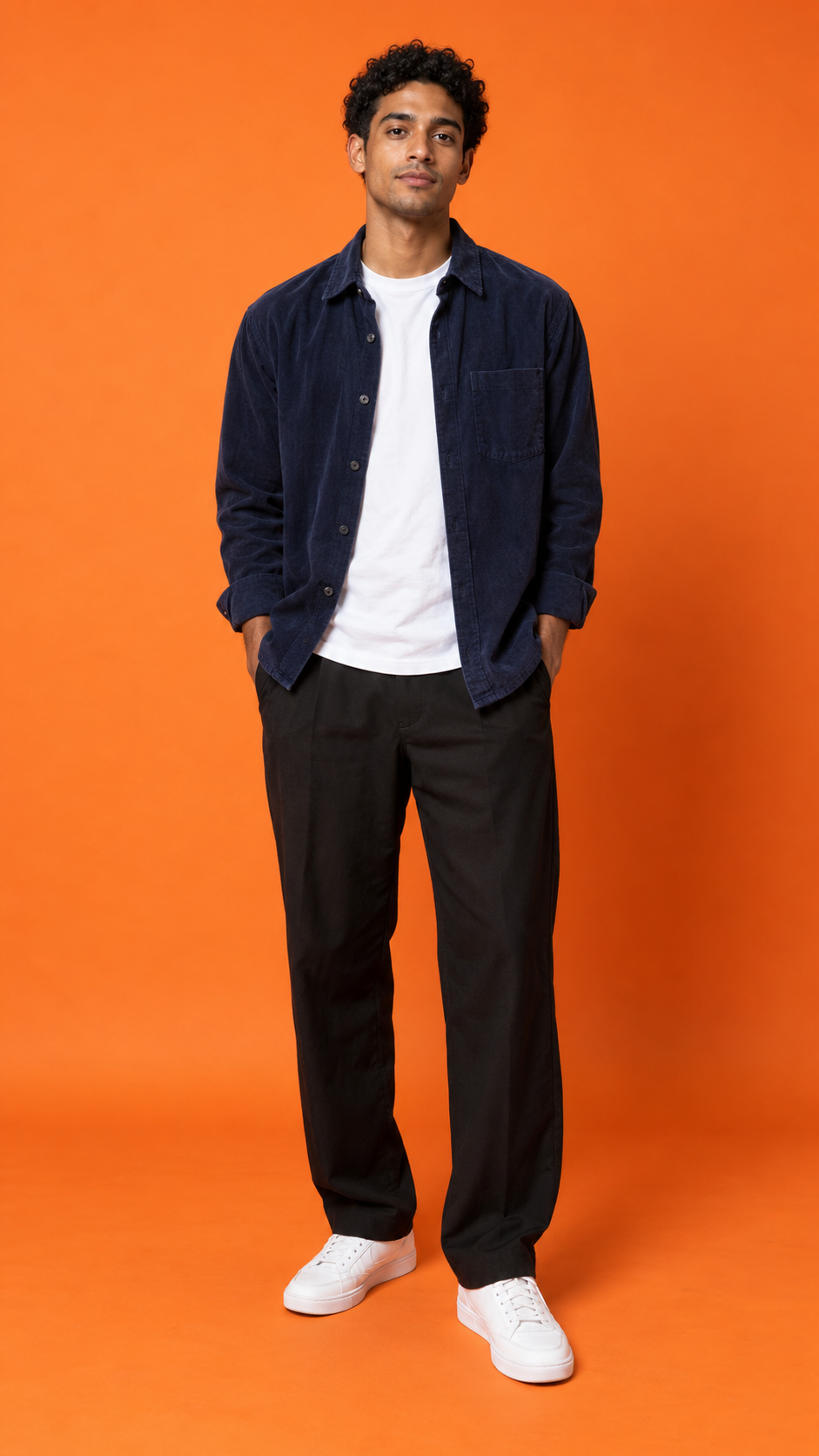
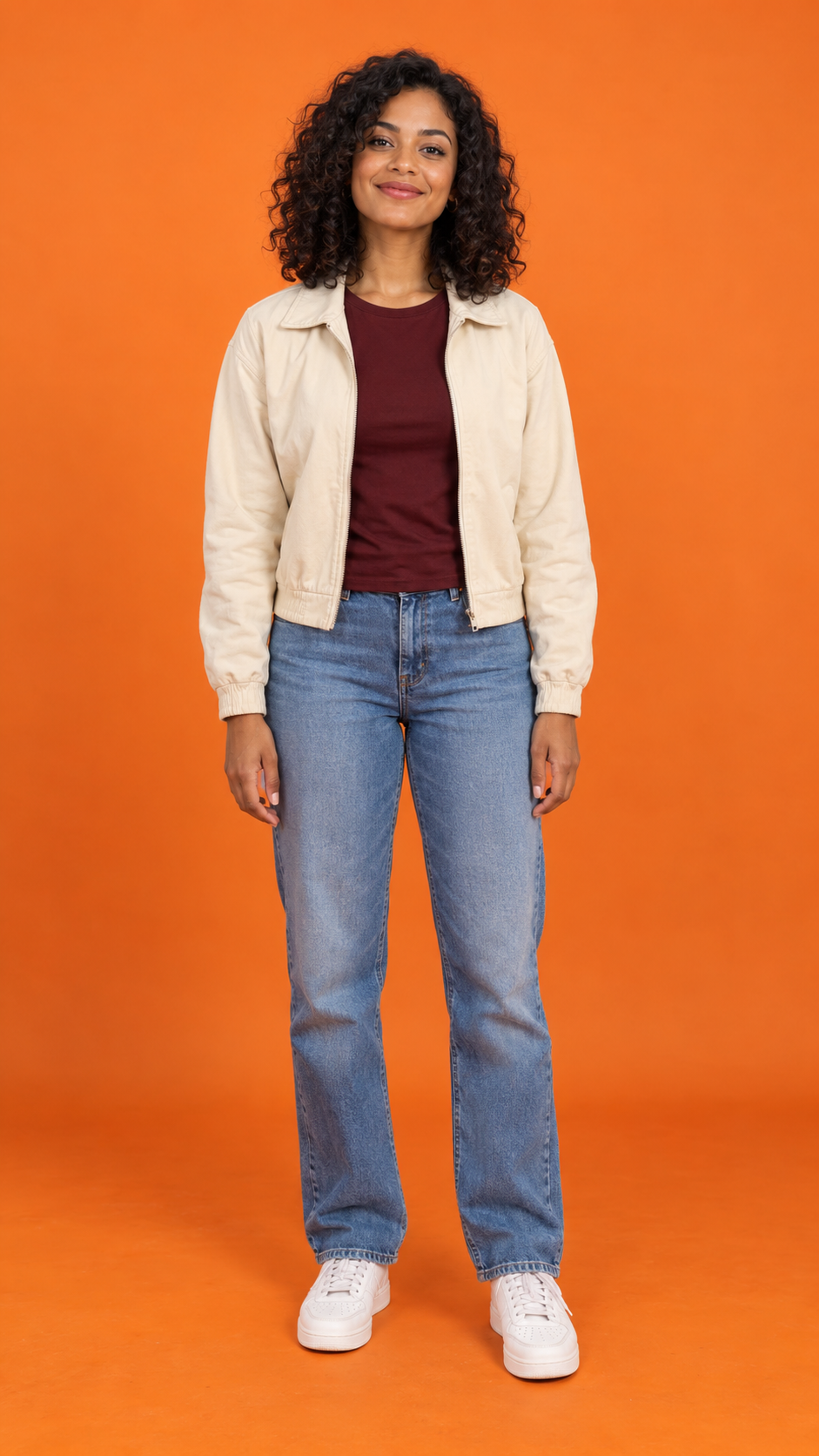
Make the Hotel Lobby trend with one Solo portrait or two Duo portraits. Apply the orange-studio preset, generate with purchased H3 credits, review your MP4 and add permitted music.
How do I make the Hotel Lobby trend with my photos?
To do the Hotel Lobby trend, upload two Duo portraits, keep references separate and review the 10-credit quote for 15 seconds at 768p. Generate with purchased credits, inspect the MP4 and add permitted music. Solo needs one portrait.
Follow the workflow and fixes. The generator creates new motion; original-song rights and exact lip sync are not included.
Photo 1 = left; photo 2 = right. Use a clear portrait for each.
Your editable Hotel Lobby prompt
Vertical 9:16 portrait music-performance video, 15 seconds, one continuous static medium-wide shot. Use the uploaded photos only as identity and outfit references, never as a starting frame or a displayed photo. From the very first frame the performers are already in a flat saturated orange studio with matching orange floor, soft even lighting and one silver microphone hanging centrally between the performers, completely outside both face silhouettes, actively singing and rapping to the beat. Begin the performance immediately and maintain natural mouth movements throughout. The person in @Image1 stands on the left, the person in @Image2 on the right. Preserve each face, hairstyle and outfit separately. In the first half the left performer sings and raps with continuous natural mouth movements and a small hand gesture while the right nods to the beat. In the second half they exchange the singing lead without crossing or merging. No still-photo intro, original photo background, photo collage, fade-in, transformation, transition, furniture, hotel interior, logos, captions, cuts, camera orbit, extra people or distorted hands. Silent visual singing performance; audio will be added separately.
About this preset and audio
Two friends singing and rapping at one suspended microphone from the opening moment. Start with two separate clear portraits. Review the generated audio and add your chosen platform sound after downloading.
Hotel Lobby AI video examples
Direct-provider tests using current presets; no website payment or credit debit. Agent review, not human review. Both files fully decode and play to the end; audio semantics and success rates are unverified.
Actual AI output · 15.1s
Duo: current 15-second preset
Current 15-second Duo preset, tested from two separate portraits. Sampled frames retain left/right positions and distinct outfits.
MiniMax H3 · 768 × 1344
A gray ceiling strip is visible. Exact identity accuracy and lip sync are unverified.
Use portraits for new motion inspired by Quavo and Takeoff’s A COLORS SHOW performance. Exact choreography or lyrics require supported transfer/lip-sync tools.
Direct-provider Duo/Solo tests delivered 15.083333-second, 768 × 1344 MP4s. Duo retains distinct performers in sampled frames; Solo adds cuts, a cap and furniture. Website payment and credits were not tested. The 4.458333-second result is historical; no success rate is established.
Inputs: one portrait for Solo; two separate portraits for Duo.
Requested scene: orange booth and fixed camera; central microphone for Duo or beside the Solo performer’s shoulder.
Review the complete files: Duo has a gray ceiling strip; Solo has unwanted cuts, a cap and a sofa.
Specify “flat orange studio wall and floor” for a reception backdrop. Reduce turns for face drift, check order for swaps, and simplify hand gestures. Paid retries may still fail.
Portraits or a complete scene?
Solo/Duo use portraits. Friends, pet and character presets need one complete image containing both subjects, set and microphone.
How to do the Hotel Lobby trend from your photos
1
Choose Solo or Duo and prepare the right photos
Use sharp, permitted portraits with clear faces: one for Solo, two for Duo. Image 1 left, Image 2 right. JPG, PNG or WebP; 10 MB each.
2
Check the fixed settings, framing and quote
Keep H3, 15 seconds and 768p. Choose framing, review the prompt, sign in and confirm 10 credits. No free credits.
3
Generate once and inspect the whole result
Submit once; inspect faces, hands, outfits and microphone throughout. Check Recent works before retrying. Confirmed failures return eligible reserved credits; creative revisions remain paid.
4
Download, add permitted sound and prepare your post
Download, review or mute audio, then add permitted music. Check platform AI disclosures. Original-song rights and precise lip sync are not supplied.
Browsing examples and preparing prompts are free; creating a new video requires purchased credits.
Each MiniMax H3 video is 15 seconds at 768p and uses 10 credits. One-time packs cover 1, 2 or 7 videos. The smallest pack costs US$5.99 for 10 credits, valid 365 days. No subscription or automatic renewal. Review the quote before generating.
How do I do the Hotel Lobby trend with two photos?
Use Duo: Image 1 left, Image 2 right. Review the paid quote, generate and inspect the MP4, then download and add permitted music.
How do I make the Hotel Lobby trend with one photo?
Use Solo for one portrait. If the image already contains both subjects and the orange stage, choose a complete-scene preset.
What does a Hotel Lobby trend video cost?
Each 15-second, 768p H3 video costs 10 credits. Packs cover 1, 2 or 7 videos; credits last 365 days without renewal. No free credits.
Do I need a dance recording or original video?
No. Photos and a prompt create new movement, without guaranteeing the original choreography or timing.
Why are the mouths not synchronized to the Hotel Lobby song?
Original audio is not a timing input. Use a supported lip-sync workflow with authorized audio for precise lyrics.
Can I preview a real two-photo result?
Yes. Compare current 15-second direct-provider samples and original inputs. Solo has continuous-shot defects; website payment and credits were not tested. Historical files retain separate settings.
What if generation seems stuck?
Check Recent works; queues and connection errors do not confirm failure. Contact support with task details if unresolved.
More guides for your next clip
Use photos you have permission to animate. Review faces and hands before sharing. Hotel Lobby AI is independent of COLORS, the artists and the social platforms.