
Your orange-booth video has presence. The suspended microphone looks right, the performers have energy, and the opening makes an impression. Then a face starts looking different during a turn or gesture. That is the moment to make a focused revision.
Face drift describes an unwanted change in a generated person's appearance across the clip. It may involve facial structure, eyes, mouth, hairline, or the distinction between two performers. You cannot guarantee its elimination, but you can replace guesswork with a clear process: identify the problem, improve one input, and evaluate the next result.
Hotel Lobby AI gives you practical controls for that process. Editable prompts and independent reference slots let you revise the relevant part of a Duo setup. Task history and original MP4 downloads give you concrete results to compare.
First, identify what actually changed
Play the complete video once at normal speed. Then revisit the moments where the face looks unfamiliar. Compare the result with the supplied portrait, focusing on stable features rather than expecting every expression to match a still image.
A changing mouth during an expressive performance is not automatically identity drift. Look for a change that makes the person feel like someone else: a substantially different jawline, an altered eye shape, or features that appear to transfer between the two performers.
| What you notice | What to inspect first | A focused next revision |
|---|---|---|
| The face looks different immediately | Reference clarity, face size, heavy filters | Replace that portrait with a clearer version |
| Likeness weakens during a turn | Head angle and movement instructions | Request a steadier, more forward-facing performance |
| The face becomes unclear behind a hand or microphone | Occlusion and staging | Keep gestures below the face and the microphone between performers |
| Two faces become harder to distinguish | Reference slots and written roles | Confirm placement and state distinct left/right roles |
The table helps you choose a useful first change. It does not establish a technical diagnosis from a single symptom.
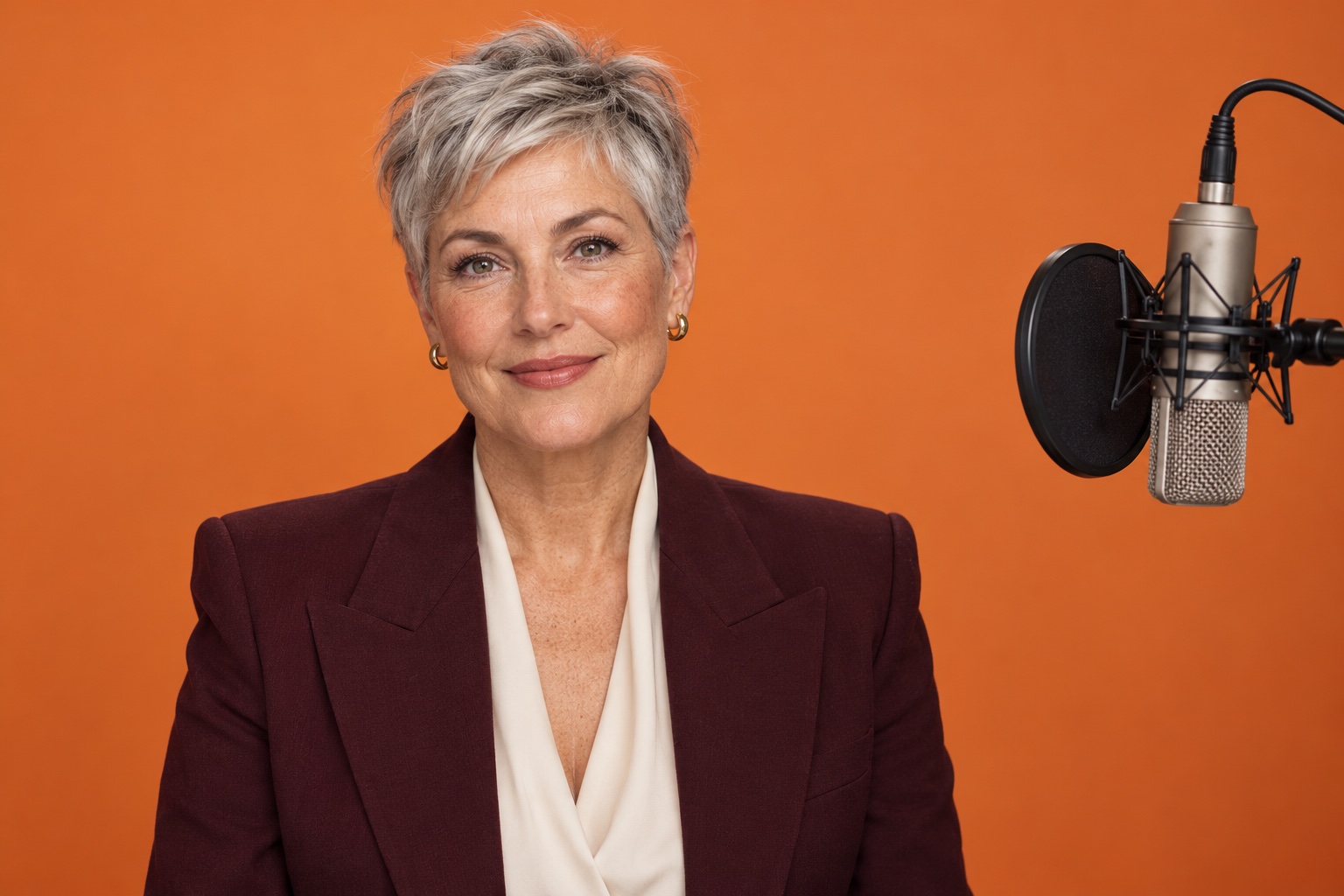
AI-created editorial concept: a clearly lit, unobstructed face with the microphone kept to the side. Use it as a staging reference when reviewing face visibility.
1. Strengthen the reference before adding instructions
Choose a clear photo of an adult you have permission to depict. Use a visible face, readable lighting, and enough detail to distinguish the person. If the source has strong beauty filters, a severe angle, or a partly covered face, a simpler portrait is a more informative starting point.
For Duo, evaluate each image separately. A strong first portrait cannot supply details missing from the second. Hotel Lobby AI's independent slots make this adjustment direct: replace the weaker reference while retaining the other person and the rest of the setup. See the reference-photo guide for a preparation checklist.
2. Clear the face's path
The suspended microphone is the visual anchor of the orange booth. Your composition should also leave room for readable faces. In the prompt, ask for the microphone between the performers and for restrained hand gestures below face level.
If your idea requires one person to pass behind the other or wave a hand across their own face, simplify that action for the next attempt. A clean pose makes the result easier to judge. The goal is a compelling performance with a clear subject throughout.
3. Reduce the motion request
You can create striking attitude with a small shoulder groove, a knowing glance, and a controlled gesture. Keep that energy while removing abrupt head turns, rapid camera movement, or complicated changes of position.
Try this short revision brief inside your existing prompt:
Keep each adult performer's appearance distinct throughout the orange-booth scene. Use a steady camera and restrained movement. Keep both faces clearly visible, with small head movements and natural expressions. Position the suspended microphone between the performers. Keep hand gestures below face level and maintain the same left and right roles throughout.This targets staging and motion without burying the scene in a long list of competing demands. For broader creative direction, use our orange-booth prompt guide.
4. Change one variable per revision
If you replace both portraits, rewrite the prompt, and switch the composition at once, you cannot tell which change helped. Keep a brief note of the change you are making: “clearer right portrait,” “smaller head movement,” or “hands below face.”
Return to task history and download each original MP4. Review the opening, the most active passage, and the finish. Compare recognizable appearance and performance quality together; a motionless result is not automatically the strongest creative choice.
Make the next attempt deliberate
The current configuration is 15 seconds at 768p with MiniMax H3, costing 10 credits per generation. Every revision should test a specific improvement. Generation results are private by default, so you can review the output before choosing to share it.
Read the video-quality guide and our real Duo case study, then open Hotel Lobby AI with one clear change. Focused direction gives your next orange-booth performance a stronger creative foundation.