How to do the Hotel Lobby AI trend for free: prompt preparation
Prepare two portraits and an orange booth prompt for free. Video generation requires purchased credits. After generating, review the faces and add the sound inside your social app.
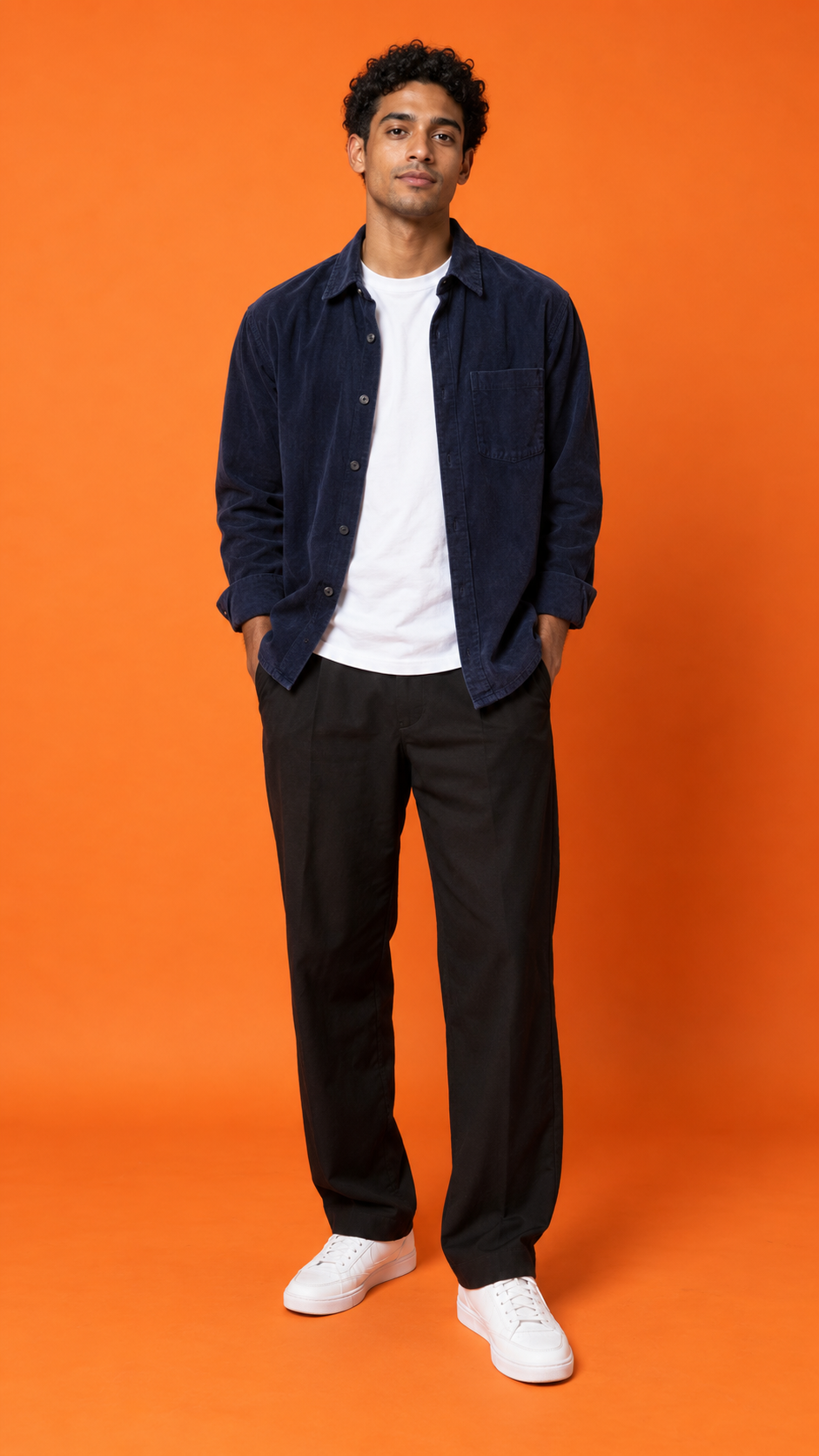
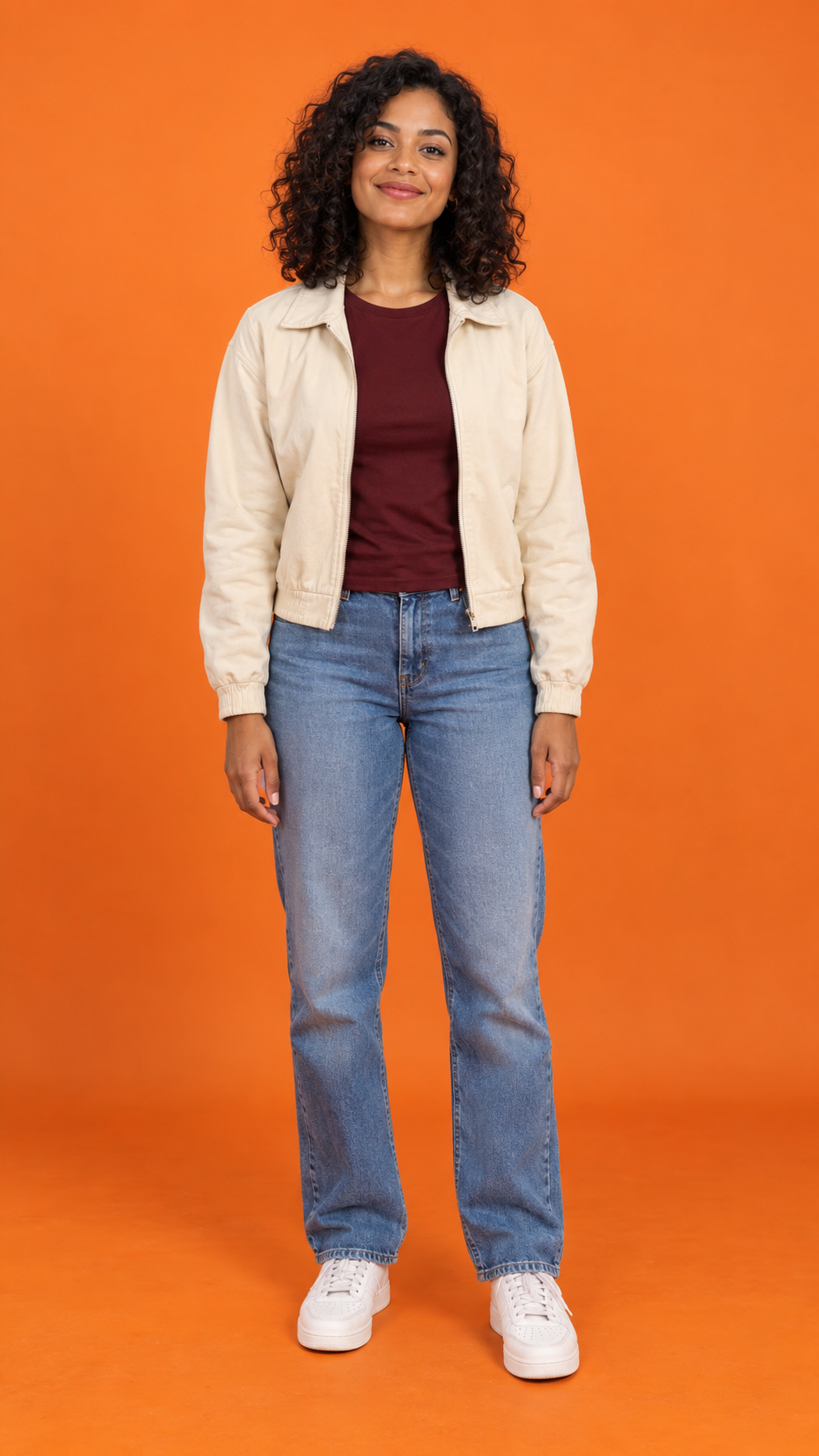
Photo 1 = left; photo 2 = right. Use a clear portrait for each.
Your editable Hotel Lobby prompt
Create an original 15-second orange-studio duo performance using only the uploaded portraits. Image 1 supplies the adult on the left; Image 2 supplies the adult on the right. Preserve each distinct face, hairstyle and outfit. Use the photos as identity references, with newly generated staging and motion. Create one continuous locked-off medium-wide shot in a seamless saturated orange studio with matching floor, soft neutral light and one silver microphone hanging centrally between the subjects, clear of both faces. Start with the subjects already performing; no still-photo intro. Keep both subjects fully separate, their faces readable, and their left/right positions stable. Begin with relaxed shoulder bounces. The left subject leads with a low open-palm gesture while the right nods; the right then answers as the left reacts. Finish facing the camera together. Use restrained original gestures and natural mouth movement. Preserve identities, outfits and proportions throughout. No face swaps, transformations, extra subjects, merged bodies, extra limbs, cuts, camera orbit, furniture, text or logos. Request an original rhythmic instrumental groove with two distinct, consistent character voices taking turns. Match the energy of each generated performance. Do not imitate an existing song or identifiable singer. Check the actual audio after generation; exact words and lip synchronization are not guaranteed. Image 1 supplies the left identity; Image 2 supplies the right. Give each person a short lead and keep both faces readable.
About this preset and audio
Turn two uploaded portraits into an original orange-booth duet, with independent gestures, lead changes and generated sound. Review the generated audio and add your chosen platform sound after downloading.
Hotel Lobby AI video examples
Watch reviewed orange-studio outputs. Each card records its inputs, settings and limitations. Videos start muted; historical examples retain their original settings.
Actual AI output · 15.1s
Duo: taking turns at the mic
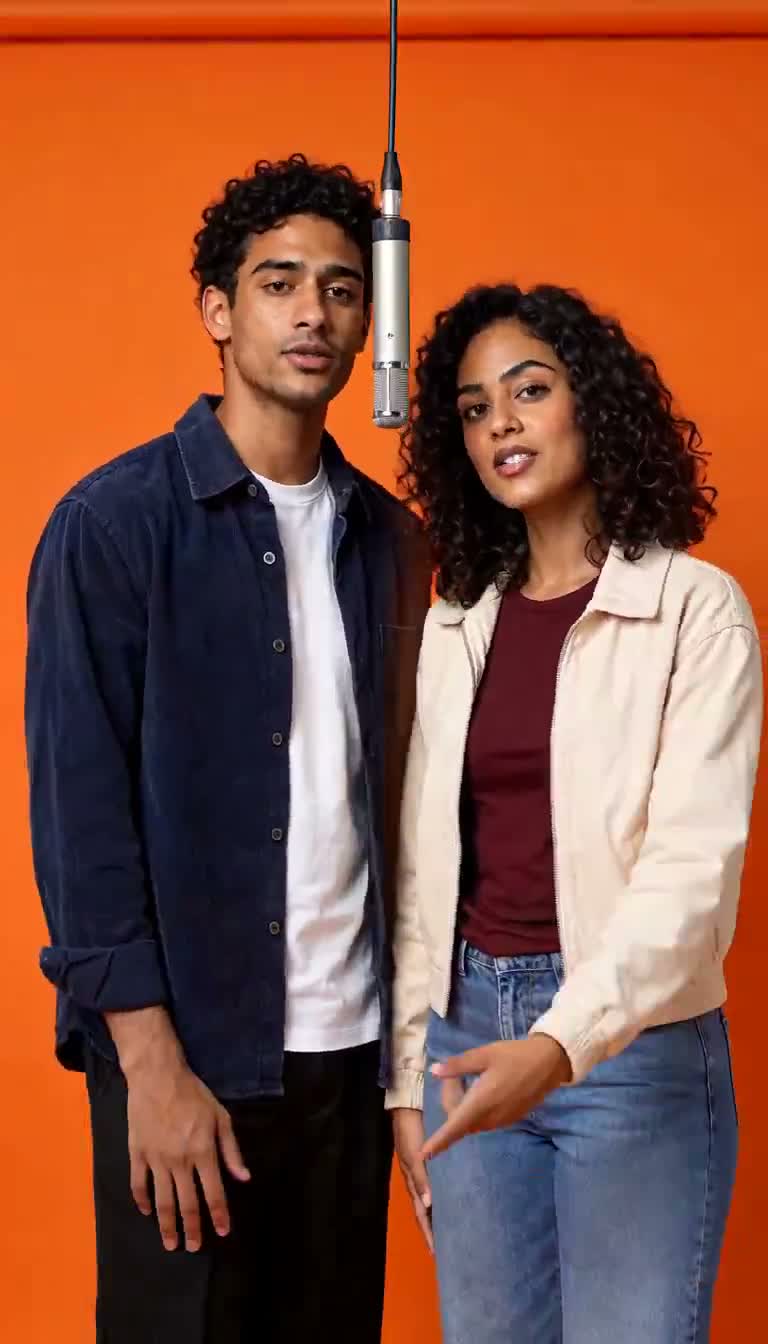
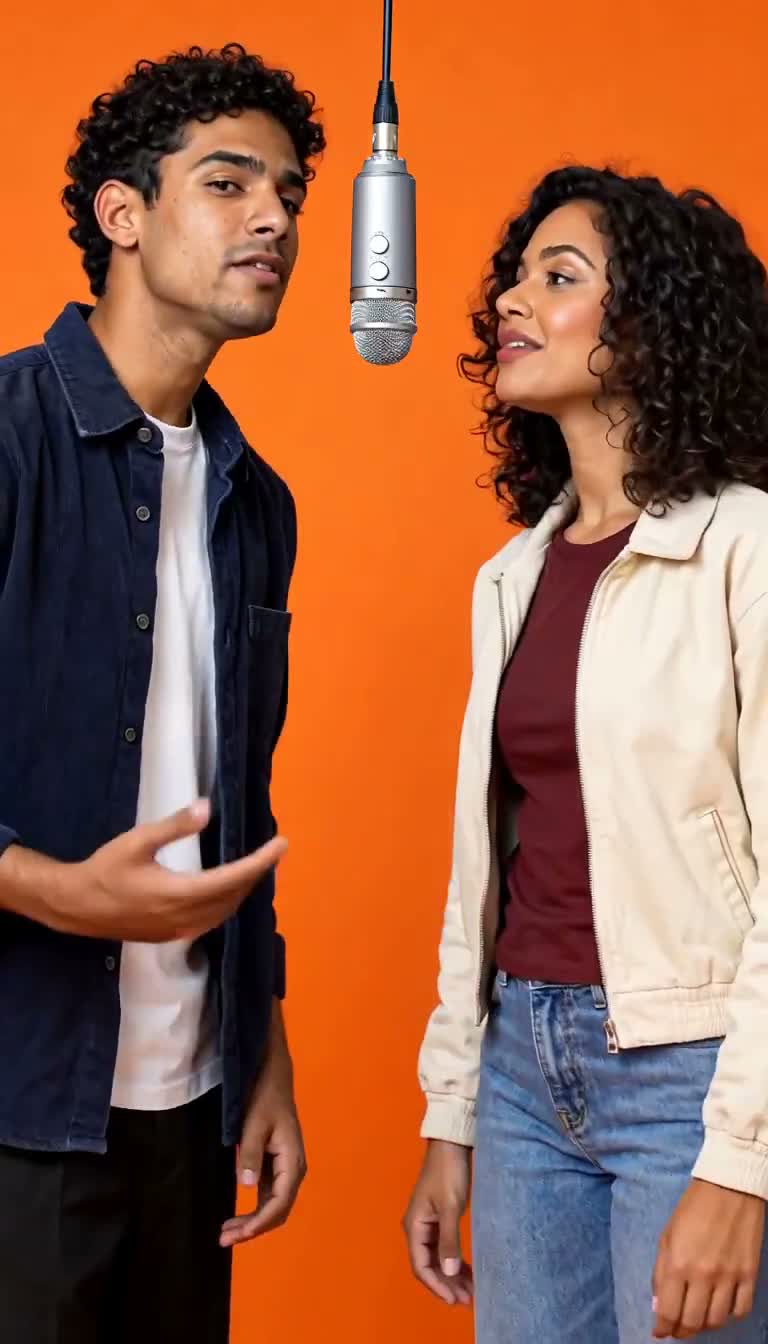
Two original portraits become an orange-booth exchange. The performers trade the lead in the second half. A horizontal orange bar remains at the top, and the microphone is close to the left performer.
A continuous orange-booth performance with distinct outfits and a suspended microphone. The left performer remains dominant instead of clearly handing over the lead.
If identities blend, use separate clear portraits and repeat which image belongs on each side. If hands distort, choose a quieter gesture. If the set becomes a luxury hotel interior, retain “flat orange studio wall” and “no furniture.” Each generation requires purchased credits; review your balance before another attempt.
You can choose your input type, compare published examples, edit and copy a full prompt, and plan where to add permitted music. None of those actions generates a new video. There is no hidden daily allowance or free trial balance to unlock by registering. If you need a zero-cost finished MP4, this paid generation workflow does not meet that requirement.
How to do the Hotel Lobby AI trend for free: prompt preparation
1
Prepare the photos
Choose one person per image, both looking toward the camera with sharp faces and similar lighting. Avoid sunglasses, covered mouths and several people in one photo. Upload Image 1 for the left performer and Image 2 for the right. For one person, select solo spotlight.
2
Copy a complete prompt for free
Select Orange booth duo, then use Copy prompt and save the text in your own notes. Check that @Image1 means the left performer and @Image2 the right; choose Solo before copying if you have one portrait. You can stop here without signing in, buying credits or generating. If you take the prompt to another tool, adapt its reference syntax and check that tool’s charges separately.
3
Decide whether to purchase a video
Creating a new MP4 on this site is paid: sign in, choose a one-time pack and review the 10-credit quote for a fixed 15-second, 768p H3 video. Opening checkout does not confirm payment. After credits arrive, submit once and watch the existing task. Inspect both faces, hands and left/right positions throughout the result; a completed creative revision uses another 10 credits.
4
Add sound and post
Download the MP4, open Reels, Shorts or TikTok, and select the platform sound available to your account. Trim or shift the visual clip to a suitable beat. This workflow creates the visual scene; precise lyric-by-lyric mouth synchronization requires a separate supported lip-sync workflow.
Browsing examples and preparing prompts are free; creating a new video requires purchased credits.
Each MiniMax H3 video is 15 seconds at 768p and uses 10 credits. One-time packs cover 1, 2 or 7 videos. The smallest pack costs US$5.99 for 10 credits, valid 365 days. No subscription or automatic renewal. Review the quote before generating.
Yes. Choose Solo or Duo, copy its starting prompt and edit it in your own notes. Stop before generation. The preparation steps are free; producing a new MP4 here requires purchased credits. We do not promise that another service will render the same prompt for free.
Why does my video look like an actual hotel lobby?
The phrase can refer to interior design. Keep the orange studio backdrop, hanging microphone and solo/duo performance explicit in the prompt. The supplied presets already include these details and exclude a hotel interior.
Will my uploaded portrait appear as a still-photo intro?
Portraits supply identities and outfits for original motion. Scene presets use your uploaded scene as the starting composition. All presets use only uploaded images and editable prompts. Review the complete result for identity, motion and mouth consistency.
How are the rap voices chosen?
The generator requests a distinct voice for each character, guided by their visible age range and feminine, masculine or neutral presentation. Each voice stays with its own left or right performer. Pet and character presets request playful or electronic voices that fit their designs. Listen to the complete result when reviewing it.
What photos work best?
Use one sharp, well-lit portrait per person with the face unobstructed. Similar lighting helps a duo; visible shoulders and hands provide useful context. Upload JPG, PNG or WebP, up to 10 MB per image.
Will it copy the original performance exactly?
No. The generator creates original motion from your uploaded images and text directions. It does not receive a reference video, choreography clip or audio track. Faces, gestures and mouth movements can vary; review the full output before posting.
Does the video include the Hotel Lobby song?
No song or audio reference is supplied. Prompts request original generated sound without imitating an existing song or identifiable singer. Listen to the actual result before posting and use audio permitted for your intended platform, region and account.
What video do I receive?
A downloadable MP4 using MiniMax H3 at 15 seconds and 768p for 10 credits. All presets default to vertical 9:16; you can choose 16:9, 9:16 or 1:1. Historical examples retain their original settings and are not evidence for the current prompt. Review the full video and audio before posting. Rendering time varies with the provider queue.
More guides for your next clip
Create your Hotel Lobby AI video
Choose your photos and preset, check the paid quote, then review and download your MP4.
Use photos you have permission to animate. Review faces and hands before sharing. Hotel Lobby AI is independent of COLORS, the artists and the social platforms.